Friday, May 25, 2012

Pizza on the Grill


Last summer I got the courage to try making a pizza on the grill.  I had heard a lot of people talk about it, but I was always a little nervous about trying it.  Guess what - it's pretty easy and very yummy.

I'm sure there are amy different ways that you can attempt to make pizza on the grill, this is what works for me.
  • 1 round pizza pan with holes in the bottom
  • Olive oil
  • garlic
  • Pillsbury pizza dough
  • Desired toppings
Heat grill on high while you are preparing your dough.  I'm sure a lot of you out there make your own down, while I would love to do that I just don't roll that way right now.
Lightly grease pan (not to much because it does have holes on the bottom)
Please dough on pan and shape to desired size
Pour about a tablespoon or two on top of the dough and spread it around (more or less to taste)
Top with garlic

Before you put the dough on the grill, prepare all your favorite toppings and have them ready in bowls.  I personally use the following:

  • Olive oil
  • Garlic
  • Onion
  • Mushrooms
  • Spinach
  • Asiago grated cheese


Once everything is assembled you are ready to start grilling.  Remember, this is going to go incredibly fast so you need to be prepared.

Turn down flame to medium.  Place pan on grates for approximately two minutes.  You need to keep a close watch on the bottom as there is a very fine line between done and burnt.

Once the bottom is done (mine usually reminds me of a pancake), remove pan from grill and put on a heat safe table.  Flip the pizza dough (done side will now be on top) and add your toppings.

Once you are ready, return your pan to the grill.  You'll need to keep an eye on it but I find it usually takes about five minutes to finish cooking.  If you want the top to cook more slowly, turn the burners down to low instead of medium.

Enjoy!

Do you cook pizza on the grill?  Feel free to add any of your tips in the comment section.

You might also like:

Grilled Chicken
Zucchini Bread
Butterfinger Cupcakes

Thursday, May 24, 2012

Saving for Christmas – Viggle


As you know, I’m always looking for creative ways to fund my Christmas purchases. Recently a friend of mine shared that he was using an APP called Viggle to accumulate points that he would use to buy gift certificates.

Straight from their website: Viggle is a loyalty program for television that gives people real rewards for checking into the television shows they’re watching. Currently available for Apple iPhone®, iPad® and iPod touch®, Viggle automatically identifies what television shows its users are watching and awards them points when they check-in. Viggle users can redeem their points in the app’s rewards catalogue for items such as movie tickets, music, gift cards and much more.

As you can see, one of the downsides of Viggle is its limited availability. I would hope that as they get more market awareness they would look to expand their APP availability to capture a new audience.

I’ve been using the APP for a little over a month now and have to say that I like it and find it well worth my time. My gift certificate of choice is the Old Navy gift card which is currently available for 18,000 points. I’ve already collected one and should be able to collect a second one in a few days.

In my opinion, you don’t have to be a crazy TV watcher to use this APP. Individually we aren’t huge TV watchers in our house, but between the four of us it does add up. There are also a variety of other ways to earn points.

Ways to Earn Points

• Log onto any TV program and you will receive 1 point per minute of watching
• Log on to bonus programs (they are specifically identified) and in addition to the point per minute you will also be awarded 100 – 300 bonus points depending upon the show that you watch. Last Friday if you were able to watch Ellen and checked in you were awarded 1,500 bonus points!
• Play games on certain shows while checked in. Some of the bonus programs will have questions that if answered correctly can earn you up to 25 bonus points. Answering the questions wrong will give you at least five points.
• Watch commercials and trailers. I just watched a David Beckham Burger King commercial and earned 75 points. The points per trailer/commercial vary; the biggest award that I’ve seen is 100 while the smallest is 5.
• Invite your friends. By registering here or through one of the links I have posted throughout this review, I will earn 200 points for anyone who signs up the first time they check in.

Positives

• Ease of the program. The APP is very easy to navigate around and doesn’t take much time to check in
• You do not need to be glued to the TV at all times. As I said, we aren’t crazy TV watchers. We have one account that we share as a family. My husband and I usually have the news on all morning while we are getting ready, my son will typically watch sports in the afternoon and after dinner we’ll flip on the TV for some evening shows. While we may not be glued to the TV at all times it is usually on so we just check into whatever is on. Sometimes we’ll decide what to turn on based on the value of the bonus points!
• Points accumulate fairly quickly. We average about 1,000 points a day between our bonus points, games that I’ve played and commercials. If I’m checking in consistently that equates to a $10 Old Navy gift card every three weeks.
• Variety of prize levels available. The prizes range from $5 certificates to Starbucks and Redbox all the way up to an Kindle Fire.

Negatives

• My biggest negative is the evolution of the program. In the short time that I’ve been with the program I’ve seen the prices of the rewards go up. My friend who has been using it longer than I have has stated that the prices have risen several times and the earning potential has decreased. As a business person I totally get that you need to do what you need to do to stay profitable. As I consumer I don’t always like it.
• Sometimes getting your program checked in is difficult. The way it is supposed to work is that you “tap” to check in, your phone listens to your TV and identifies the program that you are watching. The system will go through that cycle twice before it gives you the option to manually check in it if can’t determine your show. For some reason, mostly on my iPad, there are times that it won’t give me the manually check in option. This is quite frustrating when the show is playing, the device won’t identify it and I can’t manually check in. I’m even more frustrated if it’s a high value program.

Overall this is an APP that I would recommend if you have an Apple device. The program requires very little work with a fairly lucrative payout. While you won’t get rich, having $50 - $60 bucks to offset your Christmas spend (or before school clothing spend) will be very beneficial.

Have any of you used Viggle? I’d love to hear your thoughts.

You might also like:

Paying for Christmas - Swagbucks
Using Kaizen to Simplify Life


Wednesday, May 23, 2012

10 Easy Swagbuck Points

Tonight when I was on Swagbucks I noticed they were offering 10 Swagbucks for signing up for Alice.  If you don't already have an Alice account, sign up for 10 free Swagbucks.  There are additional swagbucks (440) with your first purchase.

Note:  The above link is a referral link

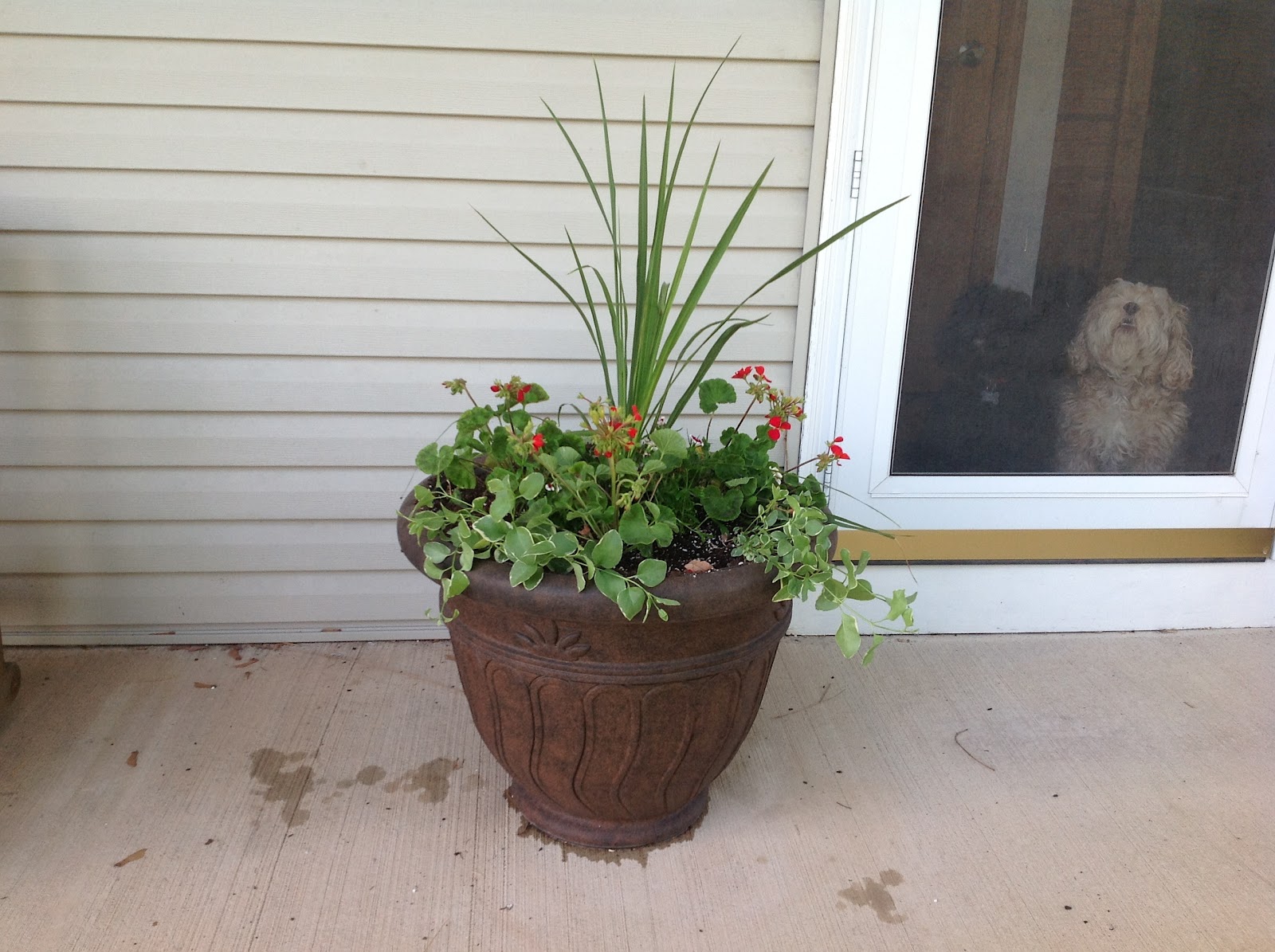
First Flower Pot of the Year


My project for this evening.  My back is killing me today, I don't know that I'll get them all done.  Did you notice the girls sneaking in the picture?  They definitely need a haircut!

Sunday, May 20, 2012

Beer Butt Chicken

Ok, I know the name sounds horrendous but I can guarantee this recipe is totally awesome. This may be a Wisconsin thing, but one of our favorite ways to cook chicken in the summer is on the grill over a beer can. Yup, that's how recipe gets it's name. The bottom end of the chicken sits on a beer can half filled with beer.

There is actually a kitchen device that takes the place of the can (for those "classy people" :) I was given one for Christmas a couple of years ago but have found it be no more effective but a whole lot messier than using a can. Instead of dealing with clean-up I just use a can and then throw it away.

Now lest you think that Wisconsin children are weaned on beer, let me assure you that's not the case. At least not in our household. While we do use beer (even though I'm not a fan of drinking beer I do think that it gives a nice subtle flavor to the chicken) any kind of carbonated beverage will do. If you prefer not to use beer I would recommend Seven-Up or Sprite as the alternative.

Beer Butt Chicken

1 can beer (or clear carbonated beverage) half full
Desired spices (i.e. rosemary, garlic, salt, pepper, etc)
1 chicken
Oil

While preparing chicken, heat grill on high. Dump (or drink) half the contents out of your can. I typically throw into the can 1-2 garlic gloves, a little bit of rosemary as well as some salt and pepper. Rub the chicken with oil, season chicken as if you were going to bake it in the oven. (I use seasoning salt, garlic, salt and peper) Place can on cookie tray, settle chicken (large opening down) on top of the beer can. The legs can be used to help stabilize the chicken. Turn down heat on grill (to about medium), grill with lid closed (for about 45 minutes) until thoroughly cooked. I personally use a thermometer that sits in the chicken while it bakes. I take it off the grill the the temperature in the breast reaches about 165 - 170.

Here's what I find works best for me. I put the chickens (I always use two) on a cutting board to prepare, inserting the thermometor into one of them. One a cookie sheet I put the prepared cans of beer. Once the grill is ready, I put the cookie sheet on the grill and then place the chickens on top of the cans. If you don't have a grill or prefer to make it in your oven that's possible too. Just make sure that the grate is low enough so that the chicken isn't brushing the top of the oven.

Enjoy!

Wednesday, May 16, 2012

Pink Lemonade Cupcakes


There is a local restaurant that serves killer cupcakes.  One night when I was there for dinner I had a lemon cupcake, made with ricotta cheese, that made me want to cry it was so good.  The problem is they haven't served it since (at least when I was there) and I haven't been able to find a similar recipe on line.  After some search I did find this recipe on Confections of a Foodie Bride that I thought I would give a go.


Cupcake
1 1/8 cup (9 oz) frozen Pink Lemonade Concentrate, thawed*
White cake mix
3 egg whites
2 Tbsp vegetable oil
Non-stick spray

Frosting
3 cups + 3 Tbsp confectioners sugar
1 stick unsalted butter at room temperature
1/8 tsp salt
2 Tbsp lemon juice
Red food color (to color icing and sugar, optional)
1/4 cup granulated sugar (optional)


To make the cupcakes:
  1. In a stand mixer, add the cake mix, egg whites, vegetable oil, and the pink lemonade concentrate. Mix on low for about 30 seconds and then increase to medium speed for 90 seconds (the batter will still be a bit lumpy; take care not to overmix so you don't end up with dry cupcakes).
  2. Spray each cupcake liner with the non-stick spray and spoon the batter into a prepared muffin pan (fill the cups between 2/3 and 3/4 full). Bake at 350 for about 25 minutes or until a toothpick registers "done" in the center cupcake. Remove the pan from the oven and cook 5 minutes. Remove the cupcakes and cool completely on a baking rack.
  3. Once the cupcakes have cooled, make the icing and ice the cupcakes.
To make the frosting:
  1. Add the butter, confectioners sugar, salt, lemon juice, and food coloring (if using) to the stand mixer and mix on low using the paddle attachment until combined. Turn the speed to med-high until the icing is fluffy and uniformly pink. Add the icing to a pastry bag fitted with a 2D tip and ice the cupcakes.
Here are some tips that I discovered when making them this past Mother's Day

  1. The cupcake itself wasn't very pink even though I used pink lemonade.  If you want a pinker cupcake I would recommend adding a little food coloring.
  2. I didn't think the cupcake was very tart but the frosting was.  I may have added more lemon than I should have to make the frosting thinner.  Next time I may actually use a little bit of orange juice to cut down on the tartness while still giving it a nice citrus flavor.
  3. Instead of a pastry bag and tip, put your frosting into a ziplock sandwich bag.  Snip one of the corners and then frost
  4. There are a couple of different ways to garnish.  In the picture above I cut up fresh lemons as a garnish.  Down below is a picture where I sprinkled some purple sugar I had left over from Fat Tuesday with a mint sprig.

These were a big hit with my family and co-workers.  Enjoy!


You might also enjoy

Triple Chocolate Cake
Carrot Cake
Chocolate Covered Strawberries

Tuesday, May 15, 2012

Paying for Christmas - Swagbucks

I know, it seems a little early to be talking about this - doesn't it?  The trouble is that Christmas will be here before you know it and once again you'll be wondering how you're going to pay for it.

Prior to last year it always seemed like I was caught off-guard by Christmas.  Yes, I'm aware that Christmas comes the same time every year but I was never really prepared.  Our usual mode of paying for Christmas was to use our first paycheck in December since it was a three paycheck month.  Not a very good way of budgeting and it created a lot of stress.

To combat that stress I decided to make paying for Christmas a focus last year.  Christmas shopping last year was much less stressful given the fact that I had the money stuck aside to pay for it. There were a few steps that I took which I'll be sharing over the next few weeks.  This week I wanted to start with Swagbucks.

For those of you that aren't familiar with Swagbucks, it's a site that offers different ways of earning "swagbucks" (cute isn't it) which can then be turned in for awards.  They offer an incredible array of awards ranging from gift cards to electronics to houswares.  There is pretty much something for everyone.

There are a number of ways to earn swagbucks.  My primary way to earn is by using the site as my search engine.  By searching a few times a day, I average about 10 swagbucks per day.  If you are looking to rack up points faster (and have some time) there are a number of other ways to earn.  Some of them include:
  • Answering surveys (rather time consuming, I don't typically do this)
  • Taking the daily poll (this is super easy, I usually do this)
  • Print coupons (another easy way to earn while saving money that I take advantage of - you do have to use them to collect your points)
  • Tasks (these vary and I don't typically do these)
  • Complete offers (I purchased our Netflix through here and earned swagbucks.  Unless you were planning on purchasing the item, I wouldn't recommend buying something just to get swagbucks)
  • Play Games
While there are many options for redeeming your swagbucks, my personal choice is to buy Amazon gift cards.  A $5 gift card is available for purchase for 450 swagbucks (it's actually a better deal than saving up to buy the higher amount).  Everytime that my account has enough swagbucks accumlated I turn them in for my gift card.

A couple of things to note if you are turning in your swagbucks for gift cards.

  • You can only redeem five of the same cards per month (plan ahead to maximize your purchase power)
  • It takes a couple of weeks for the gift certificate to be credited to your account
  • The certificate can be redeemed on your Amazon site where you will be able to use it when you are ready
I haven't redeemed my points for any actual products so unfortunately I can't comment on shipping charges or time frames for purchases.  If any of my readers have I'd be interested in hearing how it worked for you.

Using Swagbucks certainly won't make you rich, but wouldn't $50 be a nice addition to your Christmas fund?

If you want a chance to win a $50 Old Navy Card leave a comment here.  The drawing closes this Friday at midnight.

I'll be linking this up to We are THAT Family

You might also like:
My Week in Chicago
10 Things I Learned Being a Beauty Pageant Contestant
Frugal Gardening


Note:  The above link to Swagbucks is a referral link.  If you register through this link I will receive swagbucks.